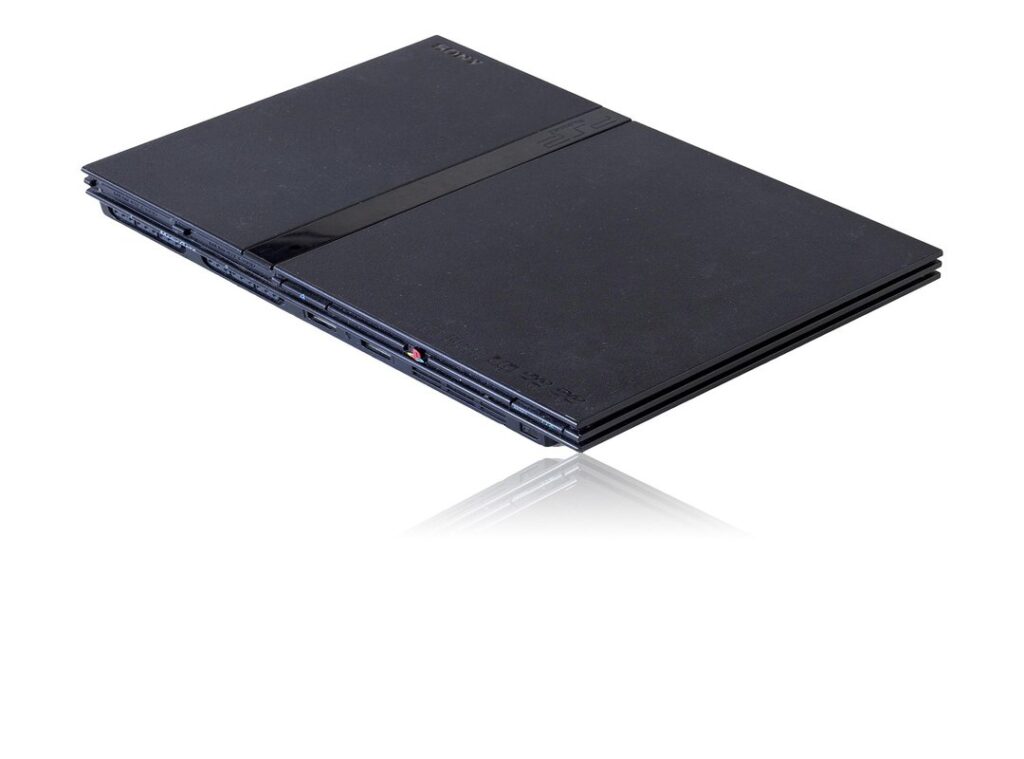
You might be wondering, what’s an imagen bios ps2? It’s just a digital copy of the PlayStation 2’s Basic Input/Output System. Think of it as the console’s brain, the essential software that tells the hardware how to start up and run games.
So why does AetherSX2 need this? Well, AetherSX2 is an emulator, which means it replicates the PS2 hardware. But for legal reasons, it can’t include Sony’s copyrighted BIOS software.
That’s where you come in.
This article will help you understand what a PS2 BIOS is, how to get it safely, and how to load it into AetherSX2. Using the right BIOS file is the first step to getting stable and accurate PS2 emulation on any device.
The Right Way to Get Your PS2 BIOS File
Let’s talk about getting a PS2 BIOS file. It’s a tricky subject, but I’ll make it clear.
First off, the only 100% legal way to get a BIOS file is to dump it from a PlayStation 2 console you own. Dumping means using homebrew software on a modded PS2 to copy the system files to a USB drive. Simple, right?
But here’s the catch: downloading BIOS files from random websites is a big no-no. Why?
- Malware and viruses. You could end up with more than just a BIOS file.
- Incomplete or corrupted files. These can cause your games to crash or even brick your console.
- Legal issues. Copyright infringement is real, and it can get you into trouble.
When you dump the BIOS yourself, you should look for a file named something like ‘SCPH-XXXXX.bin’. The X’s represent the model number of your console. This is what a legitimate dump looks like.
Sure, searching online might seem easier, but trust me, having a clean, self-dumped file saves you from a lot of technical and security headaches. Plus, it’s the safest and most reliable way to go.
Using imagen bios ps2 aether, for example, can be a good reference if you’re doing it yourself. Just make sure you follow the steps carefully.
In the end, taking the time to do it right is worth it.
Step-by-Step: How to Install the BIOS in AetherSX2
Alright, let’s get into it. Here’s how you can install the BIOS in AetherSX2 on your Android device.
Step 1: Place your BIOS file(s) in a dedicated folder on your Android device that you can easily find. For example, create a new folder named ‘PS2 BIOS’.
Step 2: Open the AetherSX2 app. If it’s your first time, the setup wizard will likely prompt you to import a BIOS. If not, head over to the settings menu.
It’s usually found under App Settings > BIOS.
Step 3: In the BIOS settings, tap the ‘+’ button or ‘Import BIOS’ option. This will open your device’s file manager. You’ll see a list of folders and files, and it might feel a bit overwhelming at first.
Step 4: Navigate to the folder where you saved your BIOS file (e.g., the ‘PS2 BIOS’ folder you created). Select the .bin file. The file manager will show you a preview of the file, and it should look like a standard PS2 BIOS file. imagen bios ps2 aether
Step 5: Confirm your selection. AetherSX2 will scan the file, and if it’s a valid BIOS, it will appear in the list within the app. You should see the region (USA, Japan, Europe) and version number.
It’s a satisfying moment when you see the imagen bios ps2 aether pop up, confirming everything is set.
Pro tip: If you plan on playing games from different regions, it’s good practice to have BIOS files from those regions. Some games have regional compatibility requirements, and having the right BIOS can make a big difference.
Troubleshooting Common AetherSX2 BIOS Errors

One of the most common errors you’ll run into is ‘BIOS image not found.’ This usually means the app isn’t pointed to the correct folder, or the file wasn’t selected properly.
You should re-do the import steps carefully. Make sure you’re pointing AetherSX2 to the right directory.
Next up, let’s talk about file formats. AetherSX2 needs the raw .bin file, not a .zip, .rar, or .7z file. If you have a compressed file, you must extract it first using a file manager app.
This step is crucial. Compressed files won’t work, and you’ll just end up with more errors.
Another frequent issue is the ‘Invalid BIOS Image’ error. This typically means the file is corrupted, incomplete, or not a real BIOS file at all. It reinforces the danger of downloading from unreliable sources.
Always get your imagen bios ps2 aether from a trusted source. It can save you a lot of headaches.
Here’s a quick checklist for troubleshooting:
| Check | Action |
|---|---|
| Is the file in a simple directory? | Move the file to a straightforward, easy-to-find folder. |
| Is the file unzipped? | Extract the file if it’s compressed. |
| Is the file a .bin file? | Make sure the file extension is .bin. |
| Did you grant AetherSX2 storage permissions? | Go to your device settings and grant the necessary permissions. |
If the BIOS is imported but games won’t start, it could be a region mismatch. For example, using a USA BIOS for a Japan-exclusive game. Try a different region’s BIOS if you have one.
This can often resolve the issue and get your games up and running.
Unlocking Classic Gaming: What to Do Next
Successfully installing the PS2 BIOS is the most important technical hurdle to enjoying AetherSX2. By following these steps, you’ve set up your emulator correctly and safely, ensuring better performance and stability for your games.
Now that the foundation is laid, it’s time to focus on the next exciting steps in your emulation journey. Your next step should be configuring your game directories and setting up a controller for the best experience.
Congratulations on completing the setup! You’re now ready to dive into the vast library of classic PS2 titles.
 Ask Billy Switzertys how they got into upcoming game releases and you'll probably get a longer answer than you expected. The short version: Billy started doing it, got genuinely hooked, and at some point realized they had accumulated enough hard-won knowledge that it would be a waste not to share it. So they started writing.
What makes Billy worth reading is that they skips the obvious stuff. Nobody needs another surface-level take on Upcoming Game Releases, Latest Gaming News, Game Reviews and Critiques. What readers actually want is the nuance — the part that only becomes clear after you've made a few mistakes and figured out why. That's the territory Billy operates in. The writing is direct, occasionally blunt, and always built around what's actually true rather than what sounds good in an article. They has little patience for filler, which means they's pieces tend to be denser with real information than the average post on the same subject.
Billy doesn't write to impress anyone. They writes because they has things to say that they genuinely thinks people should hear. That motivation — basic as it sounds — produces something noticeably different from content written for clicks or word count. Readers pick up on it. The comments on Billy's work tend to reflect that.
Ask Billy Switzertys how they got into upcoming game releases and you'll probably get a longer answer than you expected. The short version: Billy started doing it, got genuinely hooked, and at some point realized they had accumulated enough hard-won knowledge that it would be a waste not to share it. So they started writing.
What makes Billy worth reading is that they skips the obvious stuff. Nobody needs another surface-level take on Upcoming Game Releases, Latest Gaming News, Game Reviews and Critiques. What readers actually want is the nuance — the part that only becomes clear after you've made a few mistakes and figured out why. That's the territory Billy operates in. The writing is direct, occasionally blunt, and always built around what's actually true rather than what sounds good in an article. They has little patience for filler, which means they's pieces tend to be denser with real information than the average post on the same subject.
Billy doesn't write to impress anyone. They writes because they has things to say that they genuinely thinks people should hear. That motivation — basic as it sounds — produces something noticeably different from content written for clicks or word count. Readers pick up on it. The comments on Billy's work tend to reflect that.