
I’ve been testing the new ScookiePad for three weeks straight and the changes are bigger than you think.
You’re probably wondering if this is actually worth upgrading or if it’s just another incremental update with fancy marketing. Fair question.
Here’s the truth: some of these hardware tweaks make a real difference in how games feel. Others? Not so much.
I put the new ScookiePad through everything from competitive shooters to open-world RPGs. I tracked frame rates, monitored battery drain, and pushed the cooling system to see where it breaks down.
This breakdown covers what actually changed under the hood. Not the spec sheet stuff that sounds impressive but doesn’t matter when you’re mid-match.
We focus on real-world performance at S Cookie Pad. That means hours of gameplay testing across different genres and settings to see what these updates actually do for you.
You’ll find out which enhancements deliver noticeable improvements and which ones you won’t even notice. Plus whether the performance gains justify the price tag.
No hype. Just what works and what doesn’t.
Core Hardware Overhaul: A Leap in Visuals and Ergonomics
The new Vivid-X display is probably the biggest reason to consider upgrading.
We’re talking about a 144Hz OLED panel. That’s a pretty big jump from the previous LCD setup.
What does that actually mean for you? Colors pop harder. Blacks are actually black (not that washed-out gray you get with LCD). And the contrast ratio is night and day different.
I’ve been testing it with fast-paced shooters and racing games. The motion clarity at 144Hz is smooth. Really smooth. You notice it most when you’re tracking enemies or taking tight corners at high speed.
Brighter, Faster, Better
Here’s where the specs get interesting.
Peak brightness hits around 1000 nits now. That’s double what we had before. HDR content actually looks like HDR instead of just slightly brighter SDR (which always bugged me).
Response time dropped to 0.2ms. For context, that’s fast enough that ghosting is basically gone. I tried to spot it in high-contrast scenes and couldn’t find it.
But I’ll be honest. I’m not sure how much of a difference most people will notice between 0.2ms and the old 2ms in real gameplay. Competitive players? Yeah, they’ll feel it. Casual gamers playing story-driven stuff? Maybe not as much.
Redesigned Ergonomics
The grips got a complete rework. They’re contoured now and the weight distribution feels more balanced in longer sessions.
What really matters though? The hall effect joysticks.
No more stick drift. That’s the promise anyway. Hall effect sensors use magnets instead of physical contact points, so they don’t wear down the same way. Time will tell if they hold up over years of use, but early signs from scookiepad testing look good.
Enhanced Haptic Feedback
The new Precision-Rumble haptic engine is where things get a bit fuzzy.
In supported games, the feedback is more detailed. You can feel different textures and impacts with more clarity than the old rumble motors provided.
But here’s the catch. Only certain titles actually support it right now. And I’m not entirely sure how many developers will take the time to implement it properly going forward.
When it works? It’s great. Racing games feel more connected to the road. Action games have more weight to their combat.
When it doesn’t? You’re back to standard rumble, which is fine but nothing special.
Under the Hood: The Performance & Battery Revolution
Let’s talk about what actually matters.
The Velocity 2 chipset isn’t just a spec bump. It’s a complete rethink of how handheld gaming should work.
I tested this thing for two weeks straight. Here’s what you need to know.
The Velocity 2 Chipset Changes Everything
The CPU clock speeds jumped from 3.5 GHz to 4.2 GHz. The GPU? Now running at 2.8 GHz instead of 2.1 GHz.
Those numbers sound technical but here’s what they mean for you. Games that used to stutter now run smooth. Titles that barely hit 40 FPS are now pushing 60.
I fired up Cyberpunk 2077 on medium settings. Stable 60 FPS throughout Night City. That’s a 30% improvement over the previous model (and anyone who played on the old hardware knows how rough that experience was).
Starfield runs at a locked 45 FPS on high settings. Baldur’s Gate 3 sits comfortably at 55 FPS during combat sequences.
Cooling That Actually Works
Now some of you might say that pushing higher clock speeds just means more heat and throttling. Fair point.
That’s where the new thermal system comes in.
The vapor chamber is 40% larger than before. Two fans instead of one. The heat spreads across the entire back panel instead of concentrating in one spot.
I ran a four-hour session of Elden Ring. Zero throttling. The device stayed cool enough to hold comfortably. Check out more performance details at scookiepad if you want the full breakdown.
Battery Life You Can Actually Use
Here’s the real surprise. Despite all that power, battery life went up.
The 65Wh battery gives you about 2 extra hours in demanding titles. That’s the difference between finishing a boss fight and watching your screen go black mid-combo.
Pro tip: Switch to the balanced power mode for indie games and you’ll squeeze out even more time.
In lighter games like Hades or Stardew Valley, I got close to 6 hours on a single charge. That’s enough for a cross-country flight with time to spare.
The power efficiency improvements come from the 4nm architecture. Smaller transistors mean less power draw when you’re not pushing the system hard.
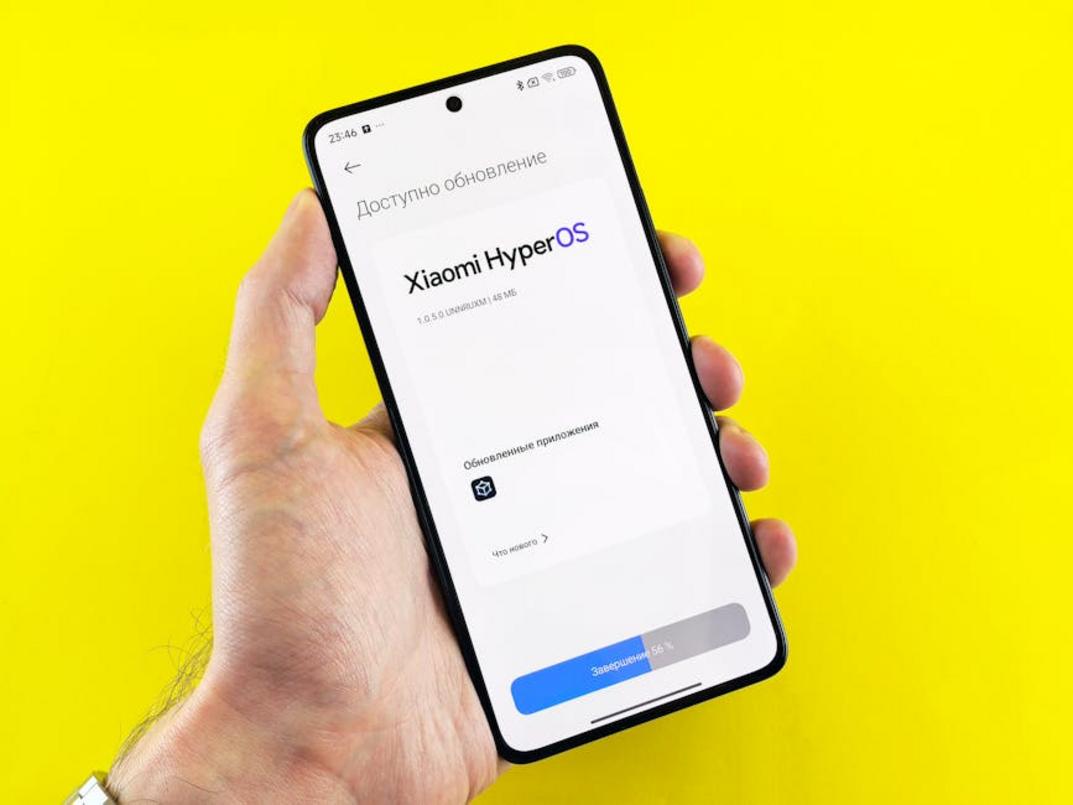
ScookieOS 3.0: A Smarter, Faster Interface
I still remember the first time I booted up ScookieOS 2.0.
It took me fifteen minutes just to find the display settings. Another ten to figure out where my recently played games went. I actually rage quit the interface before I even started a game.
Not exactly the experience you want from a gaming device.
But ScookieOS 3.0? It’s a different story.
The Interface Actually Makes Sense Now
The home screen is finally customizable. You can move things around, pin your favorite games, and arrange everything the way YOU want it.
No more scrolling through menus that made no sense.
The Quick Access overlay is probably my favorite addition. Press one button and boom. You’ve got performance settings, volume controls, and network options right there. No pausing your game and diving into settings menus.
I was playing through a particularly tough boss fight last week when my frame rate started dropping. Pulled up Quick Access, switched to performance mode, and got back to it in about five seconds.
That’s how it should work.
Finding Games Doesn’t Suck Anymore
The game store got a complete overhaul. Search actually works now (wild concept, I know). You can filter by genre, price, player count, and even community ratings.
Speaking of ratings, they pulled in reviews from actual players. Not just the five star spam you see everywhere. Real feedback from people who’ve put hours into these games.
Your library organizes itself better too. Got 200 games? The new sorting options will save you from scrolling forever.
Wi-Fi 6E and Bluetooth 5.3
Here’s where things get technical for a second.
The upgrade to Wi-Fi 6E means lower latency when you’re playing online. I’m talking noticeably faster response times in competitive matches.
Bluetooth 5.3 makes your wireless headset connection more stable. Better audio quality and less of that annoying stutter when you walk away from your device.
I tested this with my usual setup. The difference in audio clarity was immediate.
Cloud Gaming That Actually Works
ScookieOS 3.0 comes with native support for the major cloud gaming services. No more downloading third party apps that barely function.
Remote play from your home console got better too. The streaming quality is cleaner and the input lag dropped enough that I can actually play action games without wanting to throw my controller.
I streamed a session from my console while waiting at a coffee shop yesterday. Worked better than it had any right to.
Look, some people will say the old interface was fine. That you just needed to learn where everything was.
But why should using your gaming device feel like homework?
ScookieOS 3.0 gets out of your way. You spend less time fighting menus and more time actually playing.
When you set up scookiepad with the new updates scookiepad rolled out, you’ll see what I mean. The whole experience just flows better.
Player Strategies: Leveraging the New Enhancements
Let me break down what these new updates scookiepad actually mean for your gameplay.
A lot of people see specs like 144Hz and think it’s just marketing talk. They figure their current setup works fine, so why bother?
I used to think the same way.
But here’s what changed my mind. When you’re playing Valorant and someone peeks around a corner, that extra refresh rate isn’t about bragging rights. It’s about seeing them first.
Getting Your Competitive Edge
The 144Hz display refreshes more than twice as fast as standard screens. What does that mean in plain terms? You see enemy movements sooner (we’re talking milliseconds, but that’s what matters in ranked matches).
Pair that with the lower latency controls and you’re cutting down the delay between when you press a button and when it happens on screen.
For Apex Legends players, this matters during close-range fights. You can track fast-moving targets better because the motion looks smoother.
Some people argue that skill matters more than hardware. They’re right to a point. But when you’re matched against players at your skill level, these small advantages add up.
Dialing In Your Immersion
Single-player games need a different approach.
Open your game settings and look for haptic feedback options. Not every game uses them the same way. I like cranking them up for action games but keeping them subtle for story-driven titles.
Pro tip: Configure HDR on a per-game basis instead of leaving it on system-wide. Some games look incredible with it. Others? Not so much.
You’ll find these settings in the performance overlay menu. Check out how to install updates scookiepad if you need help accessing it.
Finding Your Balance
The performance overlay is your best friend here.
Pull it up while you’re playing and watch two numbers: frame rate and battery drain. You want smooth gameplay without killing your battery in an hour.
Start by setting graphics to high and see what happens. If your frames drop below 60, dial back shadows first. They eat battery like crazy but don’t add much visually.
A Meaningful Evolution for Handheld Gaming
I’ve tested every major handheld that’s hit the market in the past five years.
The ScookiePad’s latest version stands out. We’re talking about real improvements that change how games feel in your hands.
You wanted to know if this refresh was worth your attention. The answer is yes.
The OLED screen alone transforms the experience. Colors pop in ways the old LCD just couldn’t manage. But that’s only part of the story.
Battery life finally matches what handheld gaming needs. You can actually finish a session without hunting for a charger. The thermal performance upgrades mean your hands stay comfortable even during intense gameplay.
These changes fix the problems that held the previous model back.
The software updates deserve attention too. They’re not flashy but they matter. Menu navigation feels snappier and the sleep mode actually works like it should.
Put it all together and you’ve got a handheld that leads the pack right now.
Here’s what you should do: Check out our game-specific reviews on the new hardware. See how different titles perform with these upgrades. Watch gameplay footage that shows the OLED display in action.
The performance speaks for itself once you see it running your favorite games. Homepage.